Toutes les versions de cet article :
[français][français]
For years, I have been encouraging my pupils, my friends, my family, to give LilyPond a try. Most of the time, I had to install it myself on each one’s computers, explain to them how it worked, guide them through the whole thing etc...
I am proud to announce that, as far as I am concerned, these times are over. Let me introduce... EasyLilyPond !
You can also have a look at the sources — not fully commented yet :
EasyLilyPond NSIS sources and images
Use makeNSIS to compile the sources. The installer uses ExperienceUI macros, and the Launcher uses WaNSIS skinning system. You have to include binaries for ’LilyPond’, ’LilyPondTool’, ’jEdit’, ’SumatraPDF’ and the ’jre’ as well.
Easy LilyPond, a tribute to LilyPond and LilyPondTool
First of all, I’d like to say that LilyPond is easy. A few months after having touched a computer keyboard for the first time in her life, my grandmother is able to use it already.
So my point is in no way to proudly reinvent the wheel, go « Thanks to me, LilyPond is finally made easy » and all that.
Several years ago, the LilyPond team has done an amazing job by getting rid of cygwin, building a cool installer with icons, shell integration and stuff. However, users get easily scared as soon as they no longer see their usual eye-candy windows, menus, pointers etc. Plus, user-friendly tools such as Bertalan Fodor’s excellent LilyPondTool are not easy to find.
Some time ago, a quite interesting discussion made Bertalan think about packaging his great LilyPondTool Plugin together with a Java Runtime Environment and a jEdit ready-to-use installation.
Basically, I felt like trying to add LilyPond as well in the same bundle, plus a few extra options, so that standard Windows users can have only one application to install. I had a look at the LilyPond installation sources (in the GUB repository), and felt like learning the NSIS language to see how it worked.
So, here’s my first attempt. I gave it a silly name, and a silly look (I can’t remember how many times I must have used this « happy note » icon ; These nights I even use to see it everywhere in my dreams). Of course it is absolutely free as in GPL.
The Installation
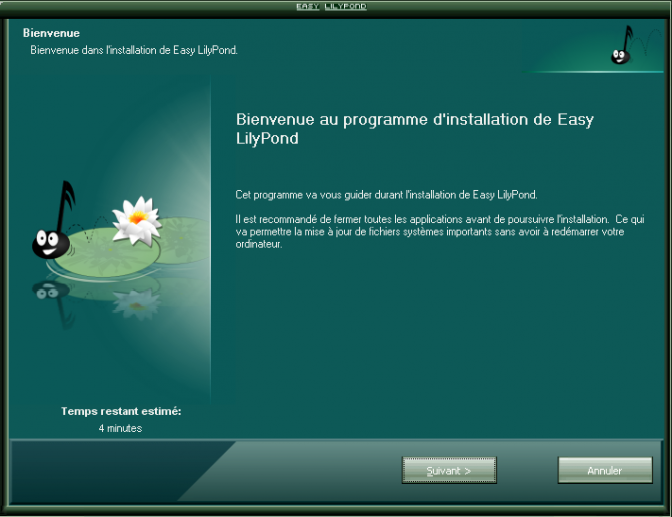
I used a bunch of cool NSIS macros to get a fashionable installer. Here’s what it looks like :
The First Installation Window
(Yes, we can discuss the colors etc. And we will.)
The sources are included in the installation, so everyone can see how it’s made. Plus, the whole thing is fully localized ; here the shots are in French since I took them on my computer, but on yours it will be in English (feel free to add other languages as well).
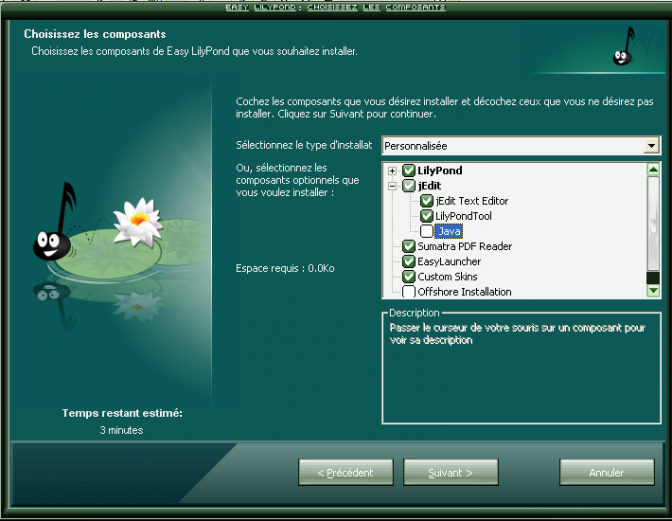
Setup Options Window
As you can see, quite a few options are available.
LilyPond is installed by the exact same code than the usual mingw-bundle. The user is given the choice to install the bundled python as well.
The jEdit Editor is installed using absolutely unmodified files. The user can choose to use the bundled Java Runtime Environment (version 1.6), and the jEdit launching routines will be modified accordingly ; however if the user chooses not to use the bundled JRE, the program checks if a decent JRE is available on the system — if there isn’t, it automatically re-selects the ’bundled Java’ option.
LilyPondTool can be installed. This includes not only the plugin itself with all dependencies, but pre-configuration files as well, and a few LilyPond example files I added.
The Sumatra PDF Reader is a free as in freedom lightweight and fast PDF reader. Because not every Windows user has Adobe installed (hopefully there are still some sane people out there).
I’ll talk about the next two options in a minute ; the only other things I just wanted to mention is the « Offshore » option, which gives users the ability to install EasyLilyPond on a USB pen drive or whatever.
(OK, to be honest, this isn’t fully working yet.)
The Launcher
As I was writing the installer, I wondered what application it should offer to launch once the setup is completed. As a matter of fact, I was a bit reluctant to pop out the default LilyPad window ; I have seen many pupils, many newbies get scared or confused by this notepad-like that opens, like a README, absolutely not translated etc.
Opening a jEdit window was more tempting, but still a bit scary. I wanted the users to feel familiar with the program, to « prepare » them psychologically before letting them see the code.
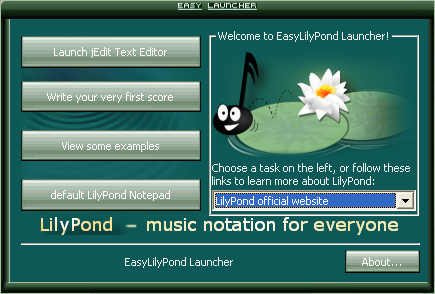
So I wrote a small EasyLauncher (it is fully localized too, but I removed the French so you can see the English version). It is written in NSIS too (hey, I’ve just learned how to use it...) and uses the same skin. When you launch it, a smooth transparent splash screen fades in and out, and you can here a few notes of piano (I used the Free Software Song, as played by Markus Haist, with his very kind authorization).
This allows me to open, according to the user’s language, one or another example source files (e.g. a French user will see an example commented in French, with \include « italiano.ly », and so on).
Of course, the EasyLauncher also includes a bunch of links to the « Grand » documentation, the Lilypond Snippet Repository, the lilypondTool homepage etc.
More customizations
OK, now for the really geek-dedicated part.
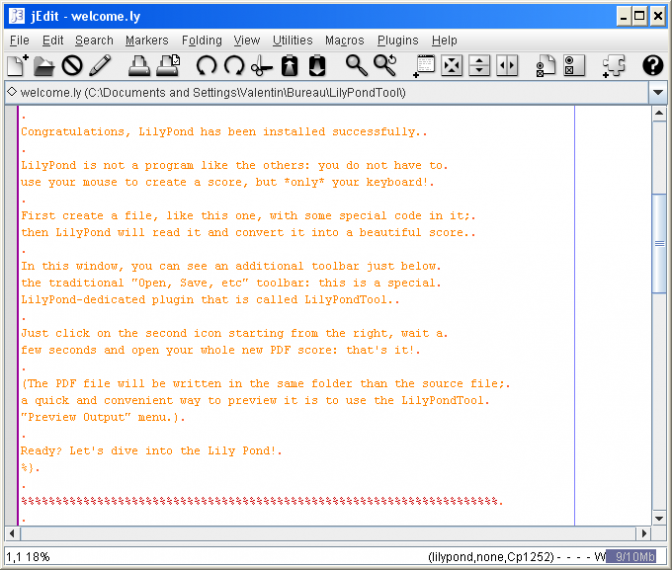
If you just click on « Write your first score », the jEdit editor will open and all you will see is a more detailed (and localized) version of the usual first-run file.
jEdit Default Window
But if you DO choose to install the EasyLilyPond skin, here’s what’s coming next :
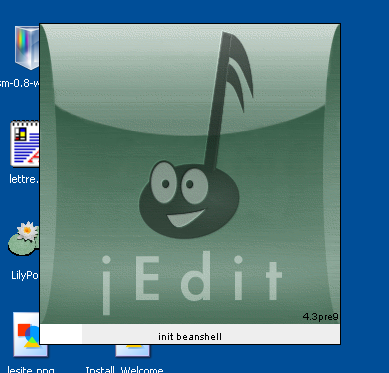
jEdit customized splash screen
Yeah, I just like crappy colors
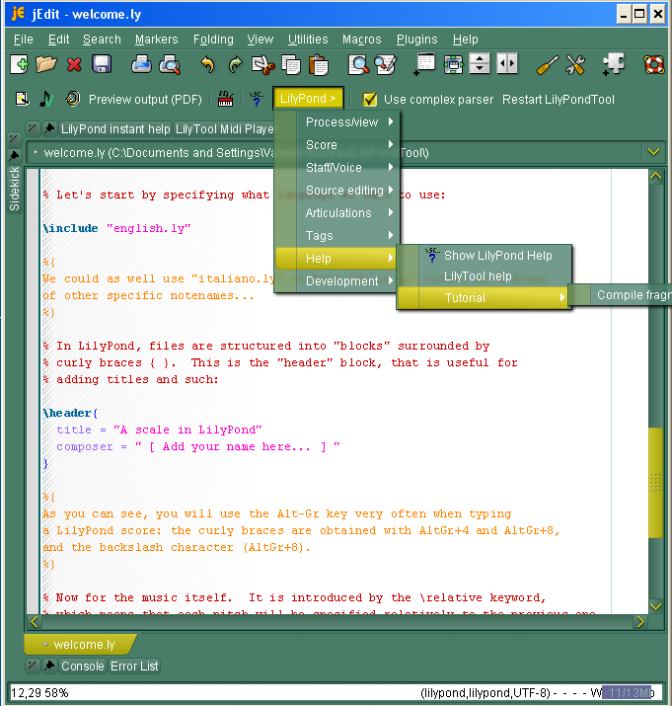
My (colorful...) new skin
Notice, however :
the nice transparence/blur menus effect (I’m using the whole new NimROD look and feel to obtain it)
the customized icon Theme for jEdit (the default icons are somewhat boring)
the customized « Run LilyPond » icon, in the LilyPondTool toolbar. I hope Bertalan won’t mind, but I find this icon more self-explanatory (plus I can easily describe it to my pupils, whereas the other one is hard to describe...)
Conclusion
EasyLilyPond, basically, is just a demonstration of some concepts, and a way to spread LilyPond as much as I can (particularly to my pupils, the average Windows users I know, etc). I had a good time working on it, and I’m looking forward to see if this can go anywhere.
I have to confess that, as I developed it on an old cheap 600MHz box, I have absolutely no idea how optimized the program is, and how fast it would run on a modern computer — not to mention the obvious lack of compatibility of a certain so-called ’modern’ OS...
Thank you for reading,
Merry Xmas to all !
Valentin
KNOWN BUGS : The current uninstaller does not work very well.
Use makeNSIS to compile the sources. The installer uses ExperienceUI macros, and the Launcher uses WaNSIS skinning system. You have to include binaries for ’LilyPond’, ’LilyPondTool’, ’jEdit’, ’SumatraPDF’ and the ’jre’ as well.
As a matter of fact, this is just a bug. If you click on « write your very first score ( »Votre première partition", that should be the second button starting from the top), you will see that the score that opens is in English.
I have to figure this out. There are a couple of other bugs that I hope to fix soon ; however since I’ve just been given some responsibilities within LilyPond and LilyPondTool development itself, I have to delay it for a few days...
Yes. I plan top write a self-auto-updater someday, that could update both LilyPond and jEdit from, say, the EasyLauncher. However, this is a long shot here ; it is unlikely to be implemented soon. (There are a couple of really nice features that could be added too ; I’m considering rewriting the whole thing using a cross-platform language to make it even more useful.)
Hi Valentine
I’ve been using your setup - trying to have it on a usb. Untill now I haven’t succeded..
I’ve written about your project on the portabbleapps site - and hope that someone can come up with a solution.
If Lilypond shall indeed prove it’s usability in education - then you must be able to hand it on as a portable package - beeing able to run it without administrative priviliges from any pc.
You’re absolutely right, and I’ve been giving this subject some thoughts lately. I’m still trying to figure out a way to make EasyLily entirely self-contained (i.e. no installer, but a single executable file, preferably cross-platform). Ideally, this would also be auto-updateable and auto-extensible, by containing some kind of a package manager.
There are many ways to achieve that, but I believe it will take quite some time.
Do you think we can work together to spread the use of lilypond under Windows ? The work you made with this bundle is great and I think we could « join our forces » to make the use of lilypond easy enough for the typical windows user.
I have tried EasyLilyPond on an old Laptop with Win ME on it. The installation was without problems, but EasyLilyPond does not seem to run under ME. When I try to launch jEdit from the EasyLilyPond launcher, I get en error message saying that some component of jEdit could not be found.
Another version of LilyPond was already installed on this machine (2.1ß.36). My question is now :
Does EasyLilyPond need Win XP ?
And : do I need to remove the other LilyPond version from the computer before installing EasyLilyPond ? Could thet cause the problem ?
I would be very happy if you could help me.
 [Le Site]
 Merry Christmas... and Easy LilyPond !



Messages
27 décembre 2007, 19:34
I must admit that I like your green
11 janvier 2008, 00:05, par Valentin Villenave
Thanks ! At least I will make one person happy then
3 janvier 2008, 16:37
Nice work ! But how can I change the language used by the launcher to something other than french ?
11 janvier 2008, 00:08, par Valentin Villenave
As a matter of fact, this is just a bug. If you click on « write your very first score ( »Votre première partition", that should be the second button starting from the top), you will see that the score that opens is in English.
I have to figure this out. There are a couple of other bugs that I hope to fix soon ; however since I’ve just been given some responsibilities within LilyPond and LilyPondTool development itself, I have to delay it for a few days...
5 janvier 2008, 18:57, par brebo
Great work ! Keep it up. One question concerning updates : Are updates still to be done with jEdit or is there another way ?
11 janvier 2008, 00:11, par Valentin Villenave
Yes. I plan top write a self-auto-updater someday, that could update both LilyPond and jEdit from, say, the EasyLauncher. However, this is a long shot here ; it is unlikely to be implemented soon. (There are a couple of really nice features that could be added too ; I’m considering rewriting the whole thing using a cross-platform language to make it even more useful.)
Thanks for visiting my website, btw !
10 mars 2009, 14:18, par Måns Mårtensson
Hi Valentine I’ve been using your setup - trying to have it on a usb. Untill now I haven’t succeded.. I’ve written about your project on the portabbleapps site - and hope that someone can come up with a solution.
If Lilypond shall indeed prove it’s usability in education - then you must be able to hand it on as a portable package - beeing able to run it without administrative priviliges from any pc.
You can read my comments to a thread about LilyPond and portablitiy here : http://portableapps.com/node/7403#comment-109667
YS Måns Mårtensson
10 mars 2009, 17:42, par Valentin Villenave
Greetings and thanks for stopping by,
You’re absolutely right, and I’ve been giving this subject some thoughts lately. I’m still trying to figure out a way to make EasyLily entirely self-contained (i.e. no installer, but a single executable file, preferably cross-platform). Ideally, this would also be auto-updateable and auto-extensible, by containing some kind of a package manager.
There are many ways to achieve that, but I believe it will take quite some time.
12 mars 2009, 15:51, par Eduardo
Hi Valentin,
I am working in a GUI for Lilypond under Windows : http://www.leszer.net/index.php/my-...
Do you think we can work together to spread the use of lilypond under Windows ? The work you made with this bundle is great and I think we could « join our forces » to make the use of lilypond easy enough for the typical windows user.
12 mars 2009, 17:41, par Valentin Villenave
Hi Eduardo,
I’m definitely interested ! I’ve discovered your link on the bug tracker, and I’d certainly like to work with you on this project !
Let’s talk about this by mail from now on.
2 novembre 2009, 08:36, par Hajo Baess
hi,
I have tried EasyLilyPond on an old Laptop with Win ME on it. The installation was without problems, but EasyLilyPond does not seem to run under ME. When I try to launch jEdit from the EasyLilyPond launcher, I get en error message saying that some component of jEdit could not be found.
Another version of LilyPond was already installed on this machine (2.1ß.36). My question is now :
Does EasyLilyPond need Win XP ?
And : do I need to remove the other LilyPond version from the computer before installing EasyLilyPond ? Could thet cause the problem ? I would be very happy if you could help me.
Hope to hear from you soon
Hajo